


HumanValue Career Intelligence | Tanzania | Researched 8 November 2026
A useful visitor log helps the reception team confirm who is expected, contact the right host and record when a visit ends. It should not become a collection of personal details that nobody can explain or protect. If you are preparing for an office administrator role in Tanzania, a fictional check-in exercise can show how you balance an organised welcome with discreet record handling.
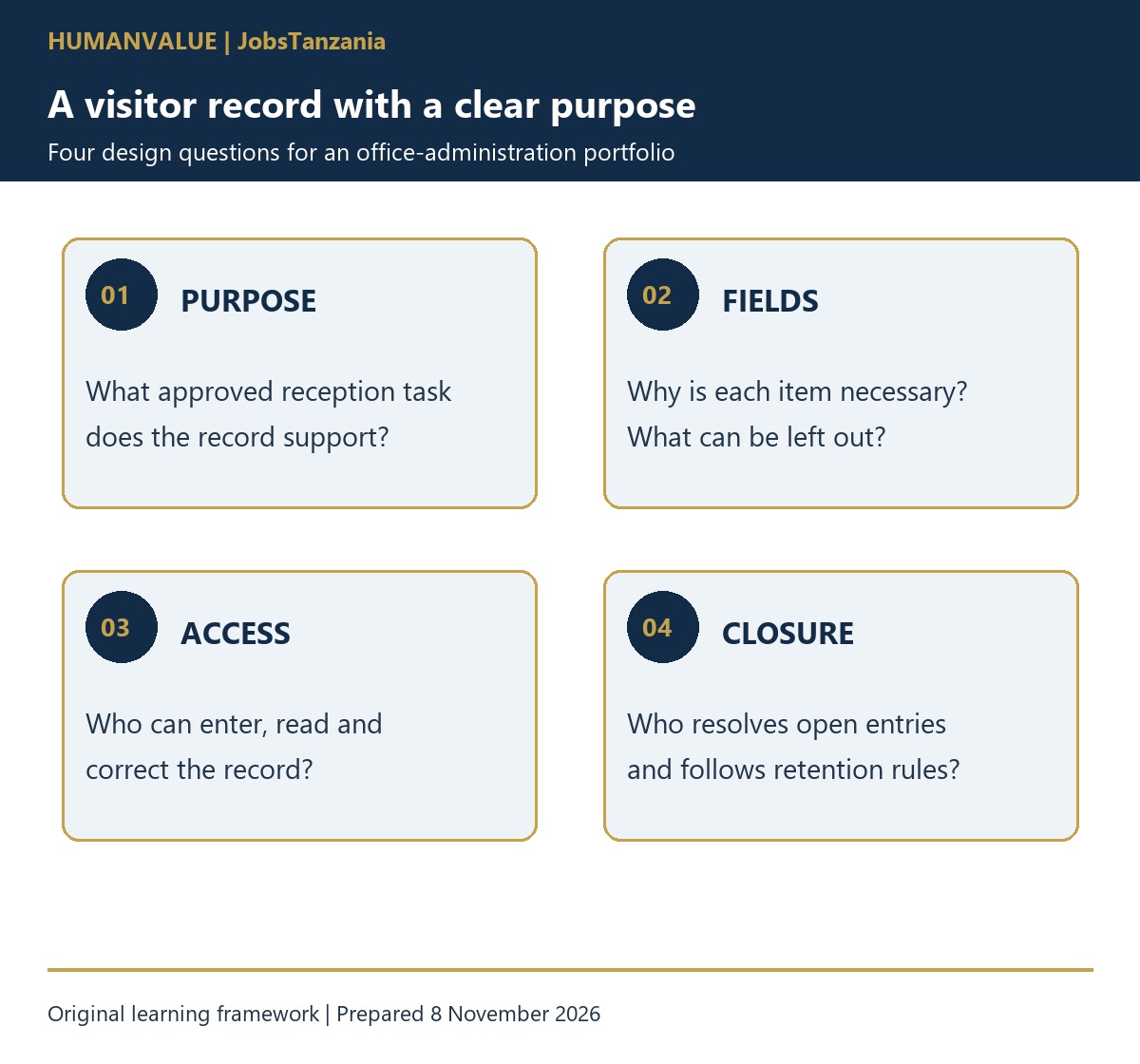
Start with the purpose of each field, rather than copying the longest register you have seen. Then show how the record is used, who can see it and what happens when an entry is wrong or a visitor leaves. This article offers a practical portfolio exercise. It does not prescribe a legally sufficient visitor system or replace your organisation’s approved security and data-protection arrangements.
1. Write the reception task before designing the form
Imagine a small professional office with appointments, deliveries and occasional visitors who arrive without a booking. The receptionist needs to establish the visit, notify the host and follow the site’s access instructions. Those are separate tasks. A signature in a register does not, by itself, authorise access to an office, a restricted store or a client file.
For your exercise, write a one-paragraph brief: which visits the log covers, what the receptionist can approve and who resolves uncertainty. Include an alternative when the host cannot be reached. Use invented names and appointments throughout. Do not photograph a real workplace register or copy visitors’ details into a portfolio.
2. Give every proposed field a reason
Tanzania’s Personal Data Protection Act sets principles including purpose limitation, necessary and relevant collection, appropriate security and keeping identifiable records only as long as needed. These principles provide a starting point for questions to take to the responsible manager. They do not mean that a sample form automatically meets every obligation.
| Proposed field | Operational question | Design decision to discuss |
|---|---|---|
| Visitor name | How will the host identify the expected person? | Use an appropriate identifier; avoid exposing the full register to the next visitor. |
| Host or department | Who should reception contact? | Use the approved internal contact route. |
| Visit category | Is this an appointment, delivery or another approved visit? | Use a short category instead of recording confidential meeting details. |
| Arrival and departure | Is the visit still recorded as open? | Define who closes the entry and how an omission is resolved. |
| Badge reference, if used | Which issued item must be returned? | Keep the issue and return record traceable under site rules. |
| Extra contact or identity information | What specific approved purpose requires this? | Escalate the question; do not collect it merely because another template does. |
In the fictional office, a meeting-purpose field might say “appointment” rather than describe a grievance, medical matter or recruitment discussion. A visitor’s national identity number, home address or photograph should not be added casually. If the actual organisation requires identity verification, follow the authorised process and ask how information is handled. Do not confuse checking an approved document with permission to retain a copy.
3. Make the welcome discreet
Consider the physical arrangement. Can someone waiting at reception read the previous person’s name or the reason for their visit? Does a shared screen face the seating area? Is the paper book left open when the receptionist steps away? These are practical design questions that an office administrator can notice without claiming to be a data-protection specialist.
For your demonstration, compare an openly shared page with a staff-controlled fictional entry screen. Explain the access and supervision assumptions behind your choice. Paper and digital records both need appropriate controls; neither format is automatically private. Do not introduce an unapproved personal app or cloud form to solve the problem.
If your next learning need is handling shared workplace records, explore the HumanValue Microsoft 365 Collaborative Workplace course. Its collaboration workflows can support discussion of where approved records belong and who owns the next action. Check the course contents and licensing requirements; completing a course does not certify your organisation’s visitor system.
4. Test the exceptions, not just the easy appointment
Create four fictional cases. An expected visitor arrives early; a delivery arrives with no named recipient; a visitor asks to see a colleague who is absent; and an entry remains open at the end of the shift. For each, write the evidence available, the permitted next step and the person who can resolve the uncertainty.
Fictional handover: “Visit V-018 is still recorded as open. The host has been asked to confirm whether the visitor has left. Badge B-04 is not yet recorded as returned. The incoming receptionist should follow the site’s unresolved-visit procedure and record the confirmed outcome.”
This note separates a missing entry from a confirmed event. It does not accuse a visitor of keeping a badge or assume that the person is still on site. In a real setting, use the established security and escalation arrangements. A learning spreadsheet must never be presented as an emergency headcount system that has been tested and approved.
5. Agree correction, access and retention responsibilities
Ask who may read the record, correct an entry and approve its disposal. The answer may involve the office manager, security team and the person responsible for data protection. Do not invent a universal retention period: the correct arrangements depend on the approved purpose and applicable obligations. Do not delete an operational record on your own because your portfolio exercise uses a shorter period.
The Personal Data Protection Commission’s privacy notice explains principles such as transparency, limited collection and storage limitation in its own processing context. Use it as a primary-source reference for understanding the principles, not as a visitor notice to copy into an unrelated business. Have the actual notice and procedure approved through the organisation’s responsible process.
6. Turn the exercise into honest interview evidence
Prepare a blank proposed register, the field-purpose worksheet, four fictional cases and a short handover. Add a page headed “Questions for the employer” covering access authority, approved systems, visitor information, unresolved entries and record retention. Ask a peer to follow one case without your explanation; note where the instructions were unclear and revise them.
In an interview, describe the choices you made and the decisions you would escalate. Say clearly that this is a fictional exercise. It demonstrates organised thinking and careful communication, not actual reception experience or legal compliance. For another example of leaving a useful record for the next colleague, read the HumanValue shift-handover guide.
7. Choose the next step that matches your need
If you are seeking an office administrator role, compare this exercise with the real vacancy and identify the skills you still need to practise. The CV & Application Pack Lab can help you describe genuine evidence in an application. Keep the distinction between a practice project and employment experience clear.
If you manage a reception team, bring HumanValue the actual duties, reporting line and service expectations when discussing recruitment support. A useful brief explains which decisions the administrator owns and which belong to security or management. You can discuss your HR and recruitment needs with HumanValue and agree the scope, responsibilities, timeline and fees before work begins.