

HumanValue Global Career Intelligence | Prepared 8 November 2026
A useful accessibility-testing portfolio records what a person can do with a keyboard, what happened during the review and how someone else can reproduce the observation. For African professionals exploring international QA, product and accessibility roles, a careful small review can demonstrate disciplined investigation and clear reporting.
Begin with an authorised learning page or your own demonstration site. Define a narrow task, record the environment and document your findings honestly. A keyboard-only review covers part of accessibility; it cannot establish that a site meets every accessibility requirement or replace evaluation with people who use different assistive technologies.
Choose a task a reader can recognise
A task might be opening the main navigation, following a link to a service description, completing a fictional search or reaching the controls in a practice dialog. Keep the scope small enough to observe carefully. Identify the starting page, intended end state and functions you will review.
W3C’s Easy Checks guide introduces preliminary accessibility review and explains its limitations. Use it to learn a method, then record the specific work you perform. Review a practice environment you are allowed to test; avoid accounts, purchases, real personal details and actions that change someone else’s data.
Record the setup before interpreting the result
Write down the operating system, browser and version, relevant keyboard-navigation settings, page URL and test date. A browser setting can change which controls receive focus. If you are uncertain about a setting, resolve that uncertainty before concluding that a site is defective.
Keep the input method explicit. A keyboard-only exercise means you use the keyboard for the defined task rather than correcting a difficult step with the mouse and forgetting to record it. If a mouse action becomes necessary, note where and why; that observation may be the most important part of the report.
Follow the focus through the task
Use the keyboard navigation appropriate to the browser and component. For ordinary page navigation, Tab and Shift+Tab commonly move between focusable elements. Controls such as menus or tabbed interfaces may use additional keys. Consult the relevant component instructions before assuming every interactive element should behave like a standard link.
Observe where focus is visible and whether the sequence makes sense for the task. W3C’s explanation of visible focus describes why a keyboard user needs to identify the active control. Record what you can actually see rather than assuming that an invisible focus indicator means no element has focus.
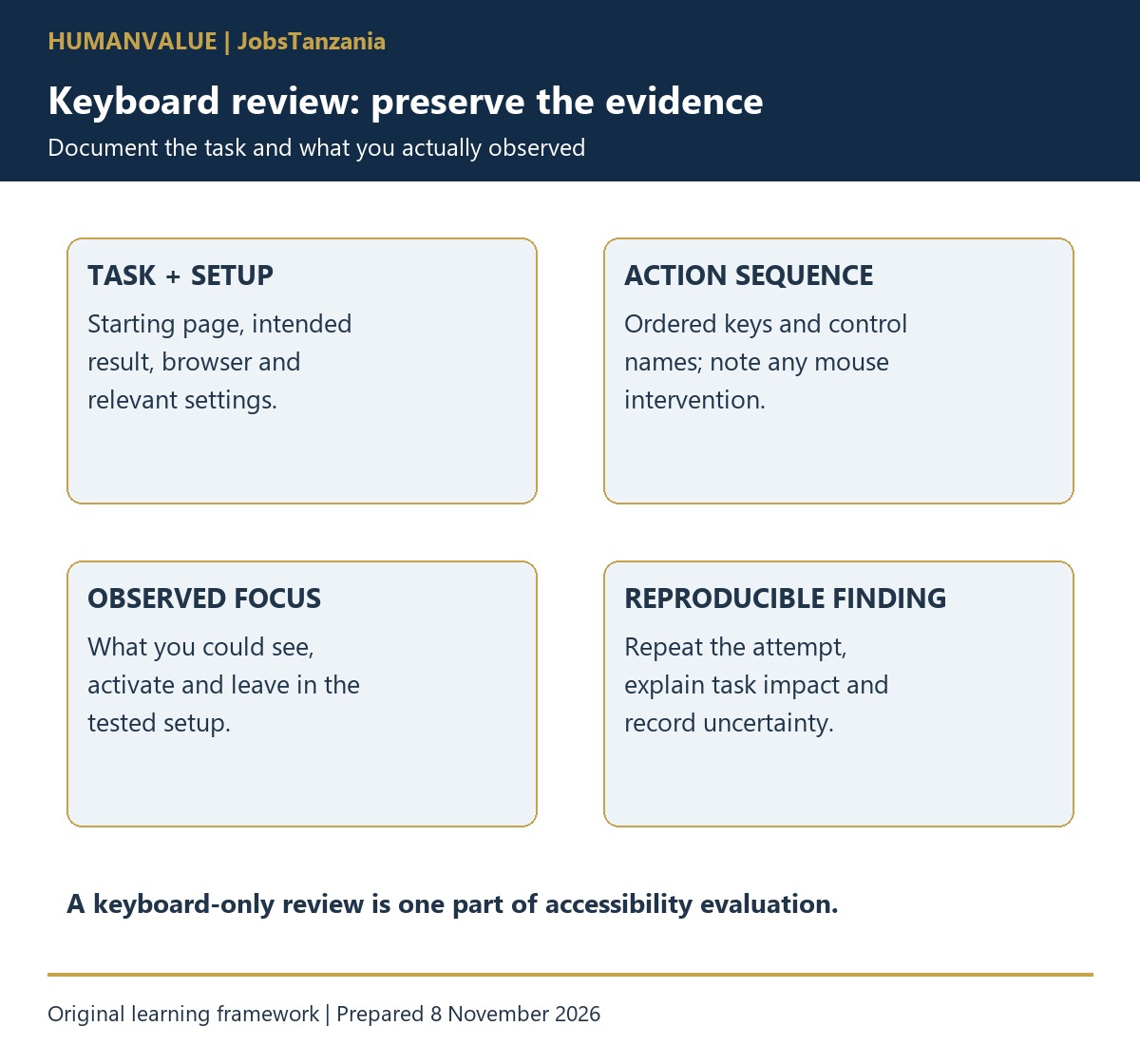
| Field | What to capture |
|---|---|
| Task and starting point | Where the review begins and the intended result |
| Environment | Browser, system, relevant settings and date |
| Actions | The ordered key presses and control names |
| Observed behaviour | Visible focus, activation result and any unexpected movement |
| Impact on the task | Which step becomes difficult or cannot be completed |
| Reproduction and follow-up | Whether a fresh attempt produces the same result and what needs review |
When translating this work sample into an application, the CV & Application Pack Lab can support the evidence-to-vacancy comparison and application process. Accessibility knowledge and any required professional qualifications remain separate; present the exact scope of your review honestly.
Recognise a possible keyboard trap carefully
A review may encounter a component that receives focus but cannot be exited through the expected keyboard interaction. W3C’s No Keyboard Trap explanation addresses this issue and the role of instructions where a non-standard exit method is needed. Check the component’s documented behaviour and record the actions attempted.
For your report, describe the observed obstacle, environment and effect on the task. Distinguish a reproducible finding from something you could not yet explain. A first review should make uncertainty visible and give a specialist enough context to investigate further.
Write a finding someone else can use
Fictional example: “On the practice page, the keyboard task was to open the information dialog and return to the original control. After the listed actions, I could not identify a working exit in the tested setup. The report includes the browser, settings, key sequence and a second attempt. Further review is needed against the component’s intended keyboard behaviour.”
This is teaching material, not a claim about a real website. In a genuine portfolio, replace it with your actual observation and supporting evidence. Avoid vague reports such as “accessibility broken” or an unexplained severity score. Explain the user task affected and the limits of what you tested.
Use screenshots or a short recording when they clarify the result, with a written description so evidence does not depend on video alone. Remove personal data and private content. Obtain permission before publishing findings about a client or employer system.
Package the review for an international role
Present a scope statement, environment record, task sequence, a few well-supported findings and a reflection on what remains outside the review. Show how you retested a changed page if you made the demonstration yourself. Be clear about the difference between the original observation, a proposed improvement and a verified outcome.
International roles may require knowledge of particular accessibility standards, assistive technologies, development practices or formal credentials. Check the vacancy. A beginner portfolio is evidence of a learning process; it should not claim professional certification or a complete compliance audit.
Build on the review rather than inflating it
After the keyboard exercise, identify the next skill to learn: accessible form instructions, semantic headings, screen-reader testing or a structured evaluation method. Choose one gap and study the primary guidance. Good evidence grows from increasingly careful work, not from adding a long list of tools you have barely used.
Explore Global Career Intelligence for related career preparation and the HumanValue Learning Center for relevant skills development. Your first goal is a reproducible, useful review that another person can understand and verify.
To strengthen the written explanation of a technical review, explore the technical-writing quickstart portfolio guide.