


HumanValue Global Career Intelligence | Researched 8 November 2026
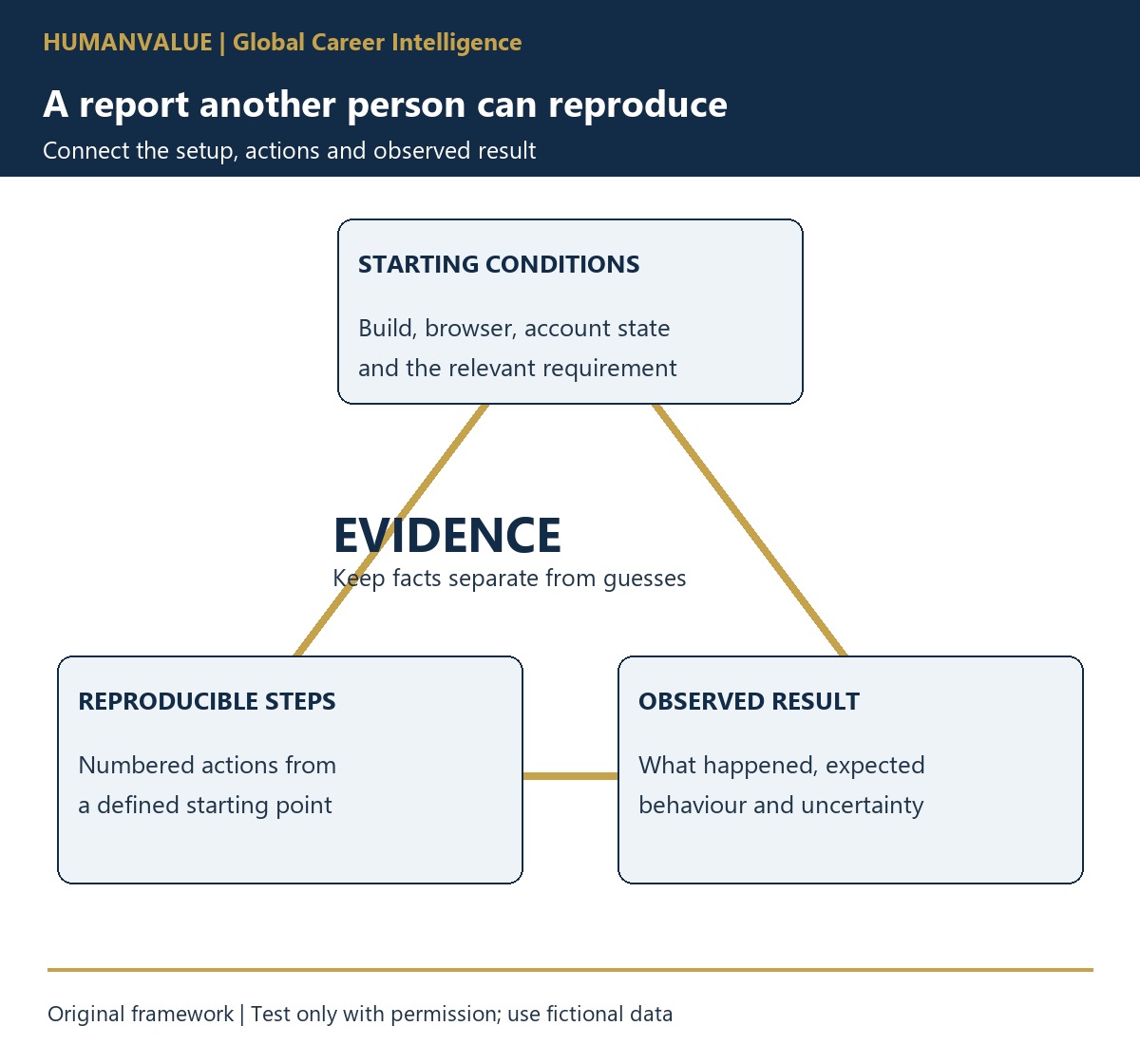
A useful software bug report lets another person repeat the problem, understand its impact and decide what to investigate next. For African professionals seeking remote QA roles, this is a more credible portfolio signal than a folder of unexplained screenshots. Show the starting conditions, the exact actions, the expected behaviour and what actually happened, then make clear which parts remain uncertain.
You do not need to discover a dramatic security flaw to demonstrate this skill. A carefully documented problem in your own small practice application can show disciplined testing, clear written communication and respect for evidence. This guide explains how to build that sample, how international teams may use it and what it cannot prove about your readiness for a particular vacancy.
1. Understand what a remote QA employer needs to see
A developer in another time zone may receive your ticket after your working day ends. If the report says only “checkout broken”, the team must first establish which build, account state, steps and result you mean. That back-and-forth delays the decision even when the screenshot looks convincing. Write for a colleague who has not watched your test.
Read the actual role carefully. Manual testing, test automation, API testing and specialist quality roles require different evidence. A bug-report portfolio demonstrates one part of quality work; it does not establish coding ability, performance-testing expertise or eligibility to work for an overseas employer. Record real skills accurately rather than adding every testing keyword to your CV.
2. Choose a safe and repeatable practice environment
Use an application you own, a local training project or an environment whose owner explicitly permits the relevant testing. Work with invented accounts and data. Do not test a live employer’s production system without permission, submit invented orders, probe authentication or attempt to discover security vulnerabilities as an unsolicited application exercise.
Define a small product requirement before testing. For example, your fictional reading-list application should preserve a saved reading order after the page is reloaded. Keep the requirement with the sample. Otherwise, a reviewer cannot tell whether your “expected result” comes from an agreed requirement or simply your preference.
Mozilla’s bug-writing guidance emphasises precise reproduction steps, clear summaries and separating observed behaviour from speculation. It also advises keeping distinct issues in separate reports. Apply those principles to your practice project while respecting the reporting rules of any real project you join.
3. Build a report someone else can follow
| Part | What to record | Why the reviewer needs it |
|---|---|---|
| Summary | The affected action and visible problem | Helps distinguish this report from similar tickets |
| Setup | Build identifier, browser, relevant settings and fictional account state | Defines the conditions under which you tested |
| Steps | Numbered actions from a known starting point | Allows a colleague to attempt the same task |
| Expected result | Behaviour supported by the stated requirement | Explains the basis for calling it a defect |
| Actual result | What you observed, including exact visible messages where appropriate | Keeps the evidence separate from an assumed cause |
| Frequency and scope | Attempts made and conditions actually checked | Prevents one observation becoming a claim about every user |
| Evidence | Relevant screenshot, recording or safe text excerpt | Supports the report without exposing private data |
Collect enough setup detail to reproduce the issue, not a dump of everything on your machine. Browser logs, exported requests and screenshots can contain tokens, email addresses or customer information. Review and redact supporting material before sharing it, and follow the project’s approved evidence-handling process.
4. Use a worked example without inventing a test result
The following report is an invented illustration, not a claim that HumanValue tested a real application. In your portfolio, replace it with observations from your own permitted test and retain evidence of what you actually did.
Fictional ticket: Saved reading order resets after reload
Requirement: The saved order should remain after reload.
Setup: Practice build R-03, fictional account Reader-A, three saved items.
Steps: Open the list; move the last item to the first position; select Save order; reload the page.
Expected: The saved order remains visible.
Actual in this fictional example: The original order returns after reload, although the save confirmation was shown.
Next check: Repeat from the same starting state and record whether the result recurs.
The title describes the symptom rather than claiming that a database is broken. A misleading confirmation may matter to the user, but it does not prove the root cause. If you inspect additional evidence in a permitted environment, record the observation and its limits. Do not label a guess as a confirmed diagnosis.
5. Distinguish impact, severity and delivery priority
Explain what task the issue prevents or makes unreliable. In the fictional reading-list case, the user cannot rely on the saved sequence. That is a clearer impact statement than “critical bug”. Whether the issue receives a particular severity label depends on the team’s definitions, the affected users and the available workaround.
Do not confuse your proposed severity with the team’s delivery priority. A product owner may weigh release timing and other work; a technical team may need to assess broader impact. In your sample, state the evidence behind your proposed rating and leave the final decision with the responsible process. Never inflate labels to make a portfolio appear more impressive.
6. Show how you handle a question and a retest
Add one realistic follow-up to the sample: a reviewer asks whether the problem persists in a new fictional account. Write the check you would perform and the information needed. If you carry it out, record the actual result and setup; if you do not, label it as a proposed next check. Keeping that distinction visible is part of professional reporting.
After a change is available, a retest should identify the new build and revisit the relevant steps and expected behaviour. A ticket marked fixed is a status, not evidence that you personally confirmed the outcome. Explain what you checked and any related behaviour outside the test’s scope.
7. Prepare a compact portfolio for international review
Include the practice requirement, a short environment note, two or three distinct reports and one retest record. Add a concise introduction explaining your permission to test and the fictional data used. Keep screenshots readable and name files so the reviewer can match them to the report. A small, coherent sample is easier to assess than dozens of unexplained tickets.
For collaboration across time zones, read the HumanValue asynchronous-handover guide. If you want help describing genuine evidence in an application, review the CV & Application Pack Lab. It supports application preparation; it is not a software-testing qualification or a promise of international employment.
8. Frequently asked questions
Must I use a particular issue-tracking product?
No single tool is required for this exercise. A clear document can demonstrate reporting fundamentals. Use the employer’s requested format when applying, and learn its actual workflow if appointed.
Should I report every visual preference as a defect?
Explain the requirement or user task affected. If the expected behaviour is unclear, ask a question or label a suggestion appropriately rather than presenting your preference as an established defect.
Does this make me ready for all remote QA jobs?
No. Compare your evidence with the vacancy’s required testing methods, technical skills, collaboration hours and employment arrangements. This sample supports a narrower claim: that you can document a permitted test carefully.
9. Choose your next step
Write one report from an authorised practice environment and ask a peer to reproduce it without a live explanation. Use the gaps they find to improve the setup and instructions. Then explain that work honestly when exploring international career opportunities. Your strongest evidence is a report another person can understand and check, with uncertainty made explicit.